
Adult Registration: Register for a Program
🔍How do I register myself for a program?
1. Visit the Family Portal using the specific web address provided to you by the program.
2. Browse the program catalog. Use the filters on the left to filter by Program, Location, and Session Date Range.
Note: Some sessions will display age restrictions. Your age will be confirmed on the application.

3. Choose a session.
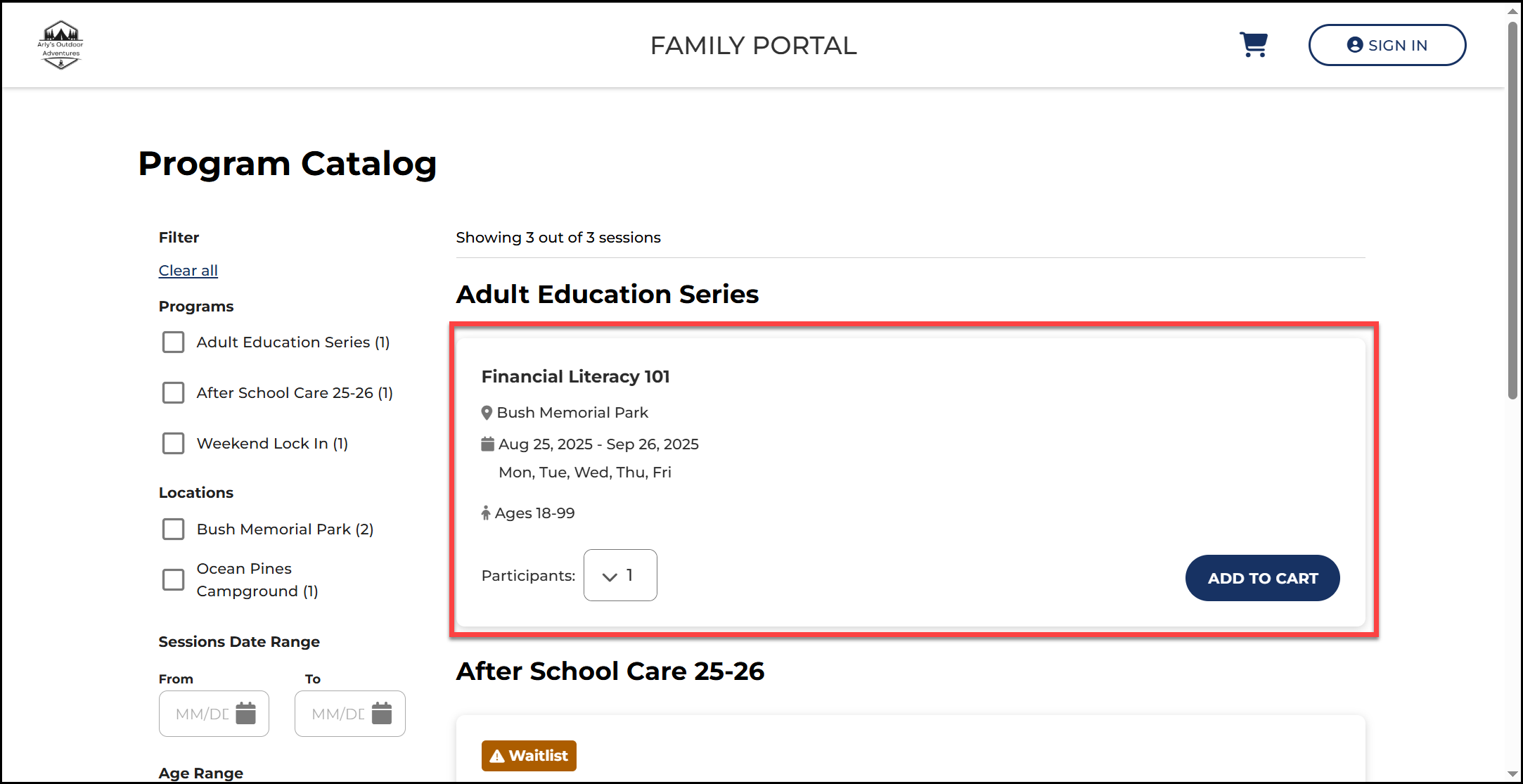
4. Select Add to Cart.
Note: You can select multiple sessions at a time. You will notice the number in your shopping cart increases each time you make a selection.

5. Select your cart to review your order and proceed with registration.

6. Review your order and select Next.

7. Enter your email address.

8. If you already have an account, you will sign in with your password.

9. If you do not have an account, complete the forms to create an account.


10. Once signed in, select your shopping cart.

11. Review your order and select Next.

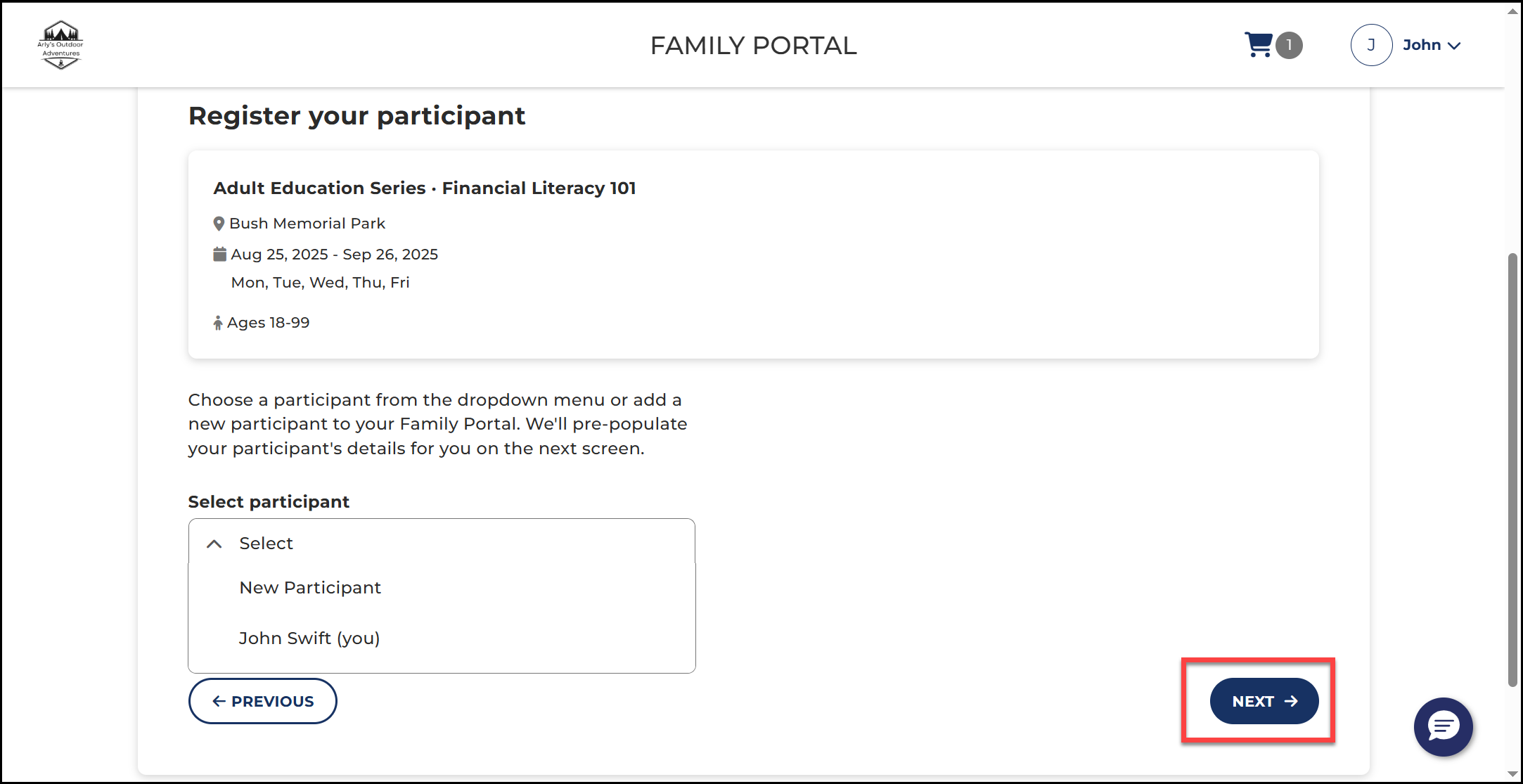
12. Select yourself from the drop down.
Note: Each adult must create their own account in order to register. You can not register another adult.

13. Select Next.
14. Complete the required fields in the application. Select Next.

15. On the order review page, you can confirm your sessions, subtotal, tax, discounts, and total before submitting your order.
Note: If the program has a cost, enter your payment information.

15. Select Submit Order.

🏆Your application has been submitted.🏆
Important To Note: When you’re enrolled your stored payment method will be charged. You’ll receive a confirmation email of your enrollment and a payment receipt. The payment status for each enrollment will be updated in the Family Portal. You will need to contact your program’s administrator if you need a refund.